Discount pricing ends in...
DAYS
0
0
HOURS
0
0
MINUTES
0
0
SECONDS
0
0
🧠
Scrivener Second Brain Mastery
Transform Scrivener Into Your Creative Operating System
For Writing, Research, and Life Documentation
Without learning another app. Without tech overwhelm. Without starting over.
Launch Special
$197 $497 Save $300
Enroll Now β€” Save $300
Limited-time pricing ends soon
It's 11:47 PM.
You're lying in bed, almost asleep, when it hits you.
That idea. The one you had three weeks ago. Something about your character's motivation. Or a connection between two research sources that would make your entire chapter click into place.
You remember writing it down. You're certain of it.
But where?
Your mind starts rifling through the possibilities like a detective searching a crime scene...
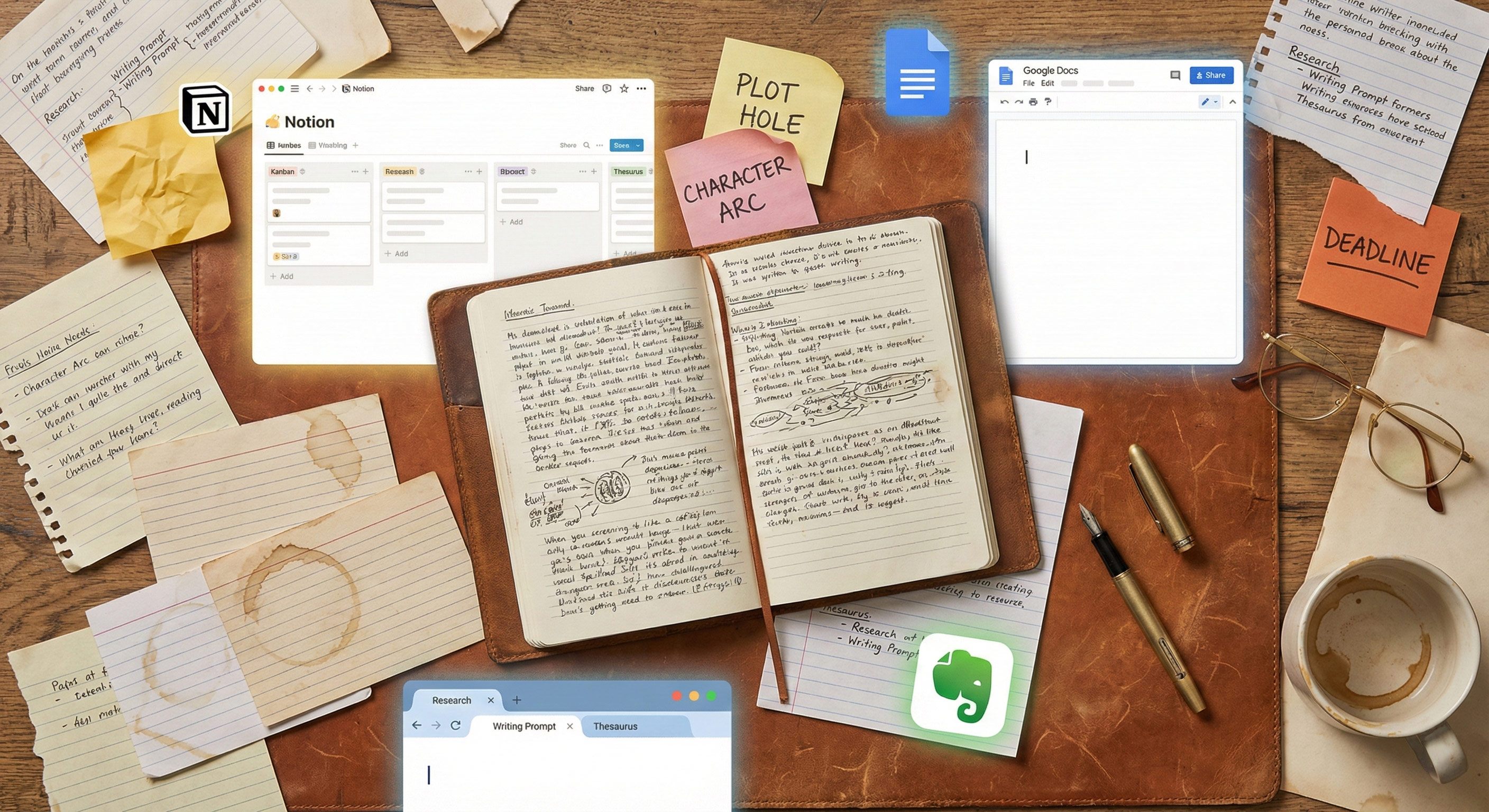
A writer's desk scattered with notebooks, sticky notes, and multiple apps open -- the reality of creative chaos
β†’ Was it in Evernote?
β†’ That notebook on your nightstand?
β†’ A voice memo you recorded while driving?
β†’ One of the sticky notes on your monitor?
β†’ An email you sent yourself with the subject line "IMPORTANT β€” DON'T FORGET"?
You tell yourself you'll find it tomorrow.
But here's what actually happens tomorrow:
You open Evernote. It's been so long since you logged in that you've forgotten your password. You reset it, scroll through hundreds of notes with unhelpful titles like "Untitled" and "New Note (47)," and give up after twenty minutes.
You flip through the notebook. The page you need is somewhere between grocery lists, phone numbers for people you don't remember, and half-finished paragraphs that made sense at the time.
You check your voice memos. There are 73 of them. You listen to the first three. Your own voice sounds foreign. You can't remember what you were thinking when you recorded them.
The idea is gone.
And something worse has happened, something you might not even notice: a small piece of your trust in yourself has eroded. Again.
"If you recognized yourself in that story, I need you to know something important."
βœ— You're not disorganized.
βœ— You're not lazy.
βœ— You're not "bad at technology."
βœ— You're not too old to figure this out.
You're a creative person trying to manage an impossible amount of information with tools and systems that were never designed for how your mind actually works.
That's not a character flaw. That's a design problem.
Scrivener Second Brain Mastery - Batch 2: Problem Sections

The Hidden Cost Nobody Talks About

Here's what I've observed after working with over 100,000 writers:

The scattered notes aren't the real problem. They're a symptom.

The real problem is what happens underneath. The slow erosion of creative confidence that occurs when you can't trust your own systems.

Think about it:
  • Every time you can't find a note you know you wrote, your brain registers a small failure. Not consciously, maybe. But it's there.
  • Every time you start a new project and realize you're beginning from zero, despite years of research and accumulated insights sitting somewhere in your digital chaos, you feel that familiar sinking feeling.
  • Every time you have a brilliant idea and wonder if you'll be able to find it when you need it, a tiny part of you holds back. Doesn't fully commit the thought to paper. Because what's the point if it's just going to disappear into the void?

This is the invisible tax on your creativity.

Not the lost notes themselves. But the lost trust. The lost confidence. The lost momentum.

I call it "information anxiety."

That low-grade hum of knowing that important things are slipping through the cracks. That vague sense of being behind, scattered, not quite in control of your own creative life.

You've probably learned to live with it. Most writers have.

But living with it doesn't mean it isn't costing you.

Sound familiar?

The 17-App Shuffle

Let me guess how you got here.

At some point, you heard about a note-taking app that was supposed to change everything. Maybe it was Evernote, back when everyone was talking about it. You downloaded it. You were excited. You spent a weekend setting up notebooks and tags.

For a few weeks, maybe even a few months, it worked.

Then life got busy. You stopped using it consistently. Notes piled up without organization. The app started feeling like a junk drawer instead of a second brain.

So you tried something else.

Scattered papers, sticky notes, and crumpled ideas -- the familiar chaos of trying to stay organized across too many systems

The Familiar Pattern

Excitement
β†’
Setup
β†’
Gradual Abandonment
β†’
πŸ”„ Repeat

Apple Notes β†’ Google Docs β†’ Notion β†’ and on it goes...

Maybe you tried Obsidian. You watched YouTube videos about "linking your thinking" and "building a Zettelkasten." It looked amazing when the twenty-something tech enthusiast demonstrated it.

But when you sat down to actually use it, the markdown syntax felt foreign. The learning curve felt steep. And you couldn't shake the feeling that this was designed for software developers, not writers.

Sound familiar?

Here's the thing about the 17-app shuffle: it's not your fault.

These apps aren't failing because you lack discipline. They're failing because they require you to build a new habit from scratch. To learn new software. To create new workflows. To remember to use a tool that isn't already part of your daily life.

And when life gets busy (which it always does), the new habit is the first thing to go.

You don't abandon the app because you're lazy. You abandon it because switching contexts takes energy, and your creative energy is a finite resource that's better spent on actual writing.

What if the solution wasn't learning something new?

What if it was discovering what you already have?
THE REVELATION
The Tool Hiding in Your Dock
I need to tell you something that might surprise you.
You already own one of the most powerful knowledge management tools ever created for writers.
You probably have it open right now, or at least multiple times a week.
It's called Scrivener.
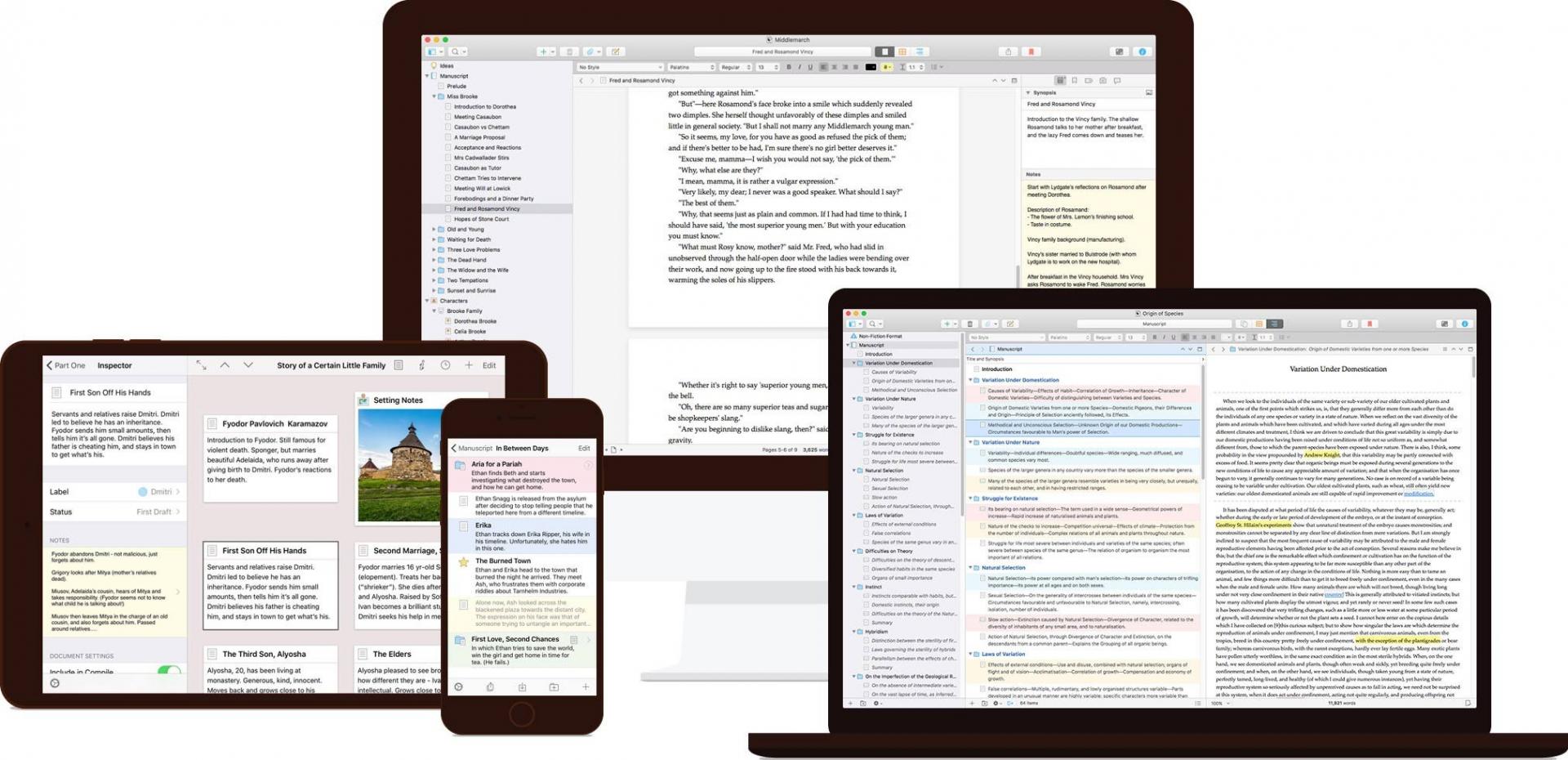
Scrivener application showing the Second Brain knowledge management system
"Scrivener? The manuscript software? That's for writing books, not organizing my life."
That's what I thought too. For years.
I'm Joseph Michael. People call me "The Scrivener Coach." I've spent over a decade teaching more than 100,000 writers how to use Scrivener for their manuscripts.
And for most of that time, I was secretly struggling with the exact same information chaos you are.
The irony wasn't lost on me. Here I was, the Scrivener expert, with notes scattered across a dozen apps. I'd discover a brilliant insight I'd written months earlier and think, "Why didn't I remember this when I needed it?" I'd start a new book and feel that familiar sinking realization that I was beginning from zero, again, despite years of accumulated research and ideas sitting somewhere in my digital graveyard.
The turning point came when I stopped looking for the next app and started exploring what was already possible in the tool I used every day.
What I discovered changed everything.
Scrivener has features that rival or exceed what Notion, Obsidian, and every trendy "second brain" app offers.
Features that 99% of users don't know exist:
πŸ”—
[[Wiki-Links]]
Connect your notes to each other with simple brackets, creating a web of ideas that grows more valuable over time.
πŸ“‚
Smart Collections
Automatically gather related notes based on criteria you set, like playlists that update themselves.
πŸ“
The Scratchpad
Capture ideas from anywhere on your computer with a single keystroke, even when Scrivener isn't open.
🏷️
Custom Metadata
Track anything you want about your notes: sources, status, dates, relevance, whatever matters to you.
πŸ”
Search
Find any note in your entire vault in about two seconds.
These features have been there all along. Hiding in menus. Buried in documentation written for software engineers instead of writers.
✦ ✦ ✦
Scrivener isn't just a writing tool.
It's a complete knowledge management system waiting to be activated.
You just needed someone to show you how.
THE SOLUTION
Introducing Scrivener Second Brain Mastery
The Complete System for Transforming Scrivener Into Your Creative Operating System
This isn't a course about Scrivener features.
This is a course about ending information chaos. About building one trusted place where every idea, every piece of research, every insight you've ever had can live, grow, and connect with everything else.
It's about going from "I know I saved it somewhere" to "found it in 2 seconds."
It's about a system so sustainable you can maintain it with just 15 minutes per week.
And it's about doing all of this inside the tool you already own and already use, so you never have to learn another app or start another new system again.
I've spent years developing what I'm about to share with you.
Years of trial and error. Years of studying knowledge management philosophies like PARA and Zettelkasten and adapting them specifically for how creative minds work. Years of feedback from thousands of writers who tested these workflows and helped me refine them.
The result is a complete operating system for your creative life.
Not a collection of tips. Not a feature tour. A system.
One that captures ideas from everywhere you have them.
One that connects those ideas automatically.
One that lets you find anything instantly.
One that makes every project easier because you're building on everything that came before.
Think of it like this
You've been living in a house for years. You know the kitchen, the living room, the bedroom. But there's a door you never opened because you assumed it was a closet.
Turns out it leads to an entire wing of the house. A library. A research lab. A command center for your creative life.
That's what this course reveals. The door was always there. You just needed someone to show you it wasn't a closet.
THE KEY PRINCIPLE
The "Already Part of Your Day" Principle
Here's something I've learned after working with over 100,000 writers:
The best system isn't the most powerful system.
It's the system you'll actually use.
And the system you'll actually use is the one that fits into what you're already doing.
βœ•
You don't need to remember to open a separate app.
βœ•
You don't need to context-switch away from your writing.
βœ•
You don't need to build a new habit from scratch.
Your second brain lives inside your writing tool.
They're the same thing.
This is why students tell me this system "finally stuck" when everything else failed. Not because the techniques are magic. Because the friction is almost zero.
But don't just take my word for it.
Here's what writers are saying after going through the program...
PROOF
Real Writers. Real Results.
β˜…β˜…β˜…β˜…β˜…
"A total game-changer. Not just for my writing, but for my life."
MR
Monique Ricardo
Course Student
βœ“ Verified
β˜…β˜…β˜…β˜…β˜…
"Instead of notes scattered across five different places, everything I need now lives in one trusted system. The relief is hard to describe."
JM
JK Miller
Course Student
βœ“ Verified
β˜…β˜…β˜…β˜…β˜…
"I'd used Scrivener for years but never unlocked its potential. This course finally showed me how. It was hiding in plain sight the whole time."
PL
Paul Lundgren
Long-time Scrivener User
βœ“ Verified
WHY THIS IS DIFFERENT
Why This Works When
Everything Else Failed
You've probably tried other systems before.
Maybe you've tried multiple systems. Maybe you have a trail of abandoned apps stretching back years.
I'm not going to tell you those systems were bad. Many of them are genuinely powerful tools.
But I am going to tell you why they didn't work for you. And why this is different.
The Problem With "Learn This New App" Solutions
Every time you try a new note-taking app, you're asking yourself to do several difficult things at once:
1
Learn new software
with its own interface, quirks, and mental model
2
Build a new habit
of opening and using that software consistently
3
Migrate existing notes
from wherever they currently live
4
Trust
that this time will be different
That's a lot to ask.
And here's the cruel truth: the more organized and powerful the app, the steeper the learning curve. The apps that promise the most (Notion with its databases, Obsidian with its plugins) are often the apps that require the most investment before you see results.
For writers who aren't naturally "techy," this investment can feel overwhelming. And when something feels overwhelming, we avoid it.
This is why you keep
abandoning apps.
Not because you lack discipline.
Because the activation energy is too high.
The Scrivener Advantage
Here's what makes this approach different:
You're already in Scrivener.
You already open it regularly. You already know how to create documents, move things around in the Binder, type words into the editor. You've already climbed the basic learning curve.
We're not asking you to learn something new.
We're asking you to activate something
that's already there.
WHAT'S INSIDE
Everything You Get Inside
Scrivener Second Brain Mastery
When I first taught this material, it was a 3-part live workshop series. Three sessions. A few resources. Enough to get people started.
But I kept hearing the same feedback:
"I wish I could go deeper on the PARA system."
"Can you show me more examples of what notes should actually look like?"
"What do I do when I get stuck on this specific situation?"
"I fell behind and now I don't know how to recover."
So I rebuilt everything from the ground up.
I took each workshop and expanded it into a complete module with additional deep-dive lessons. I created templates you can copy directly into your vault. I built a Q&A database answering every question I've ever received. I developed step-by-step checklists that tell you exactly what to do, in what order, and how long it will take.
The result is the most comprehensive Scrivener knowledge management training ever created.
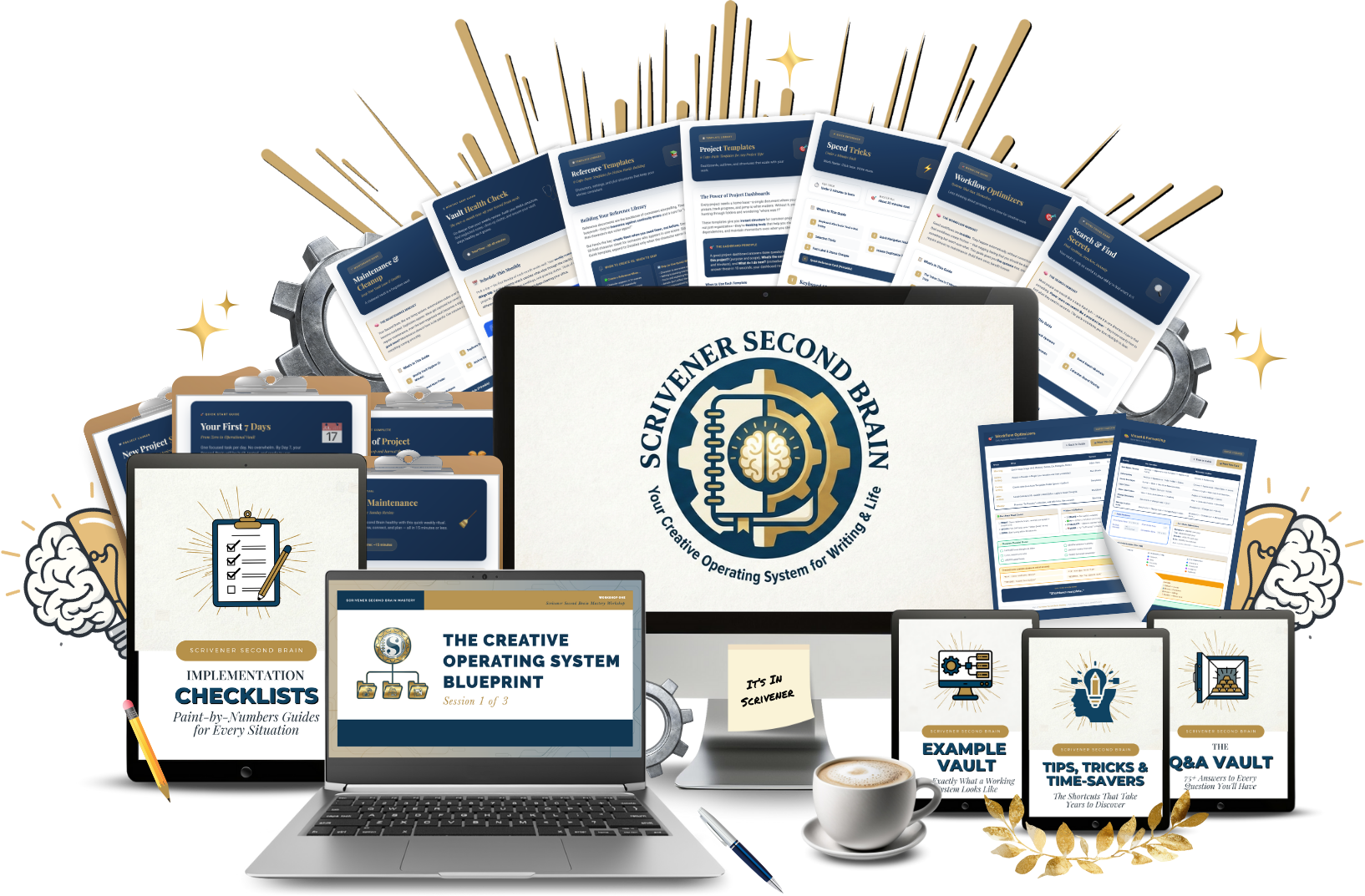
Here's what you're getting
↓
πŸ“š
THE CORE TRAINING
Three Complete Modules with 33+ In-Depth Lessons
Each module starts with the original workshop recording (60-75 minutes of training), then goes much deeper with 8-12 additional lessons covering every technique, workflow, and edge case.
1
MODULE 1
$99 Value
Foundation
Build Your Vault Architecture
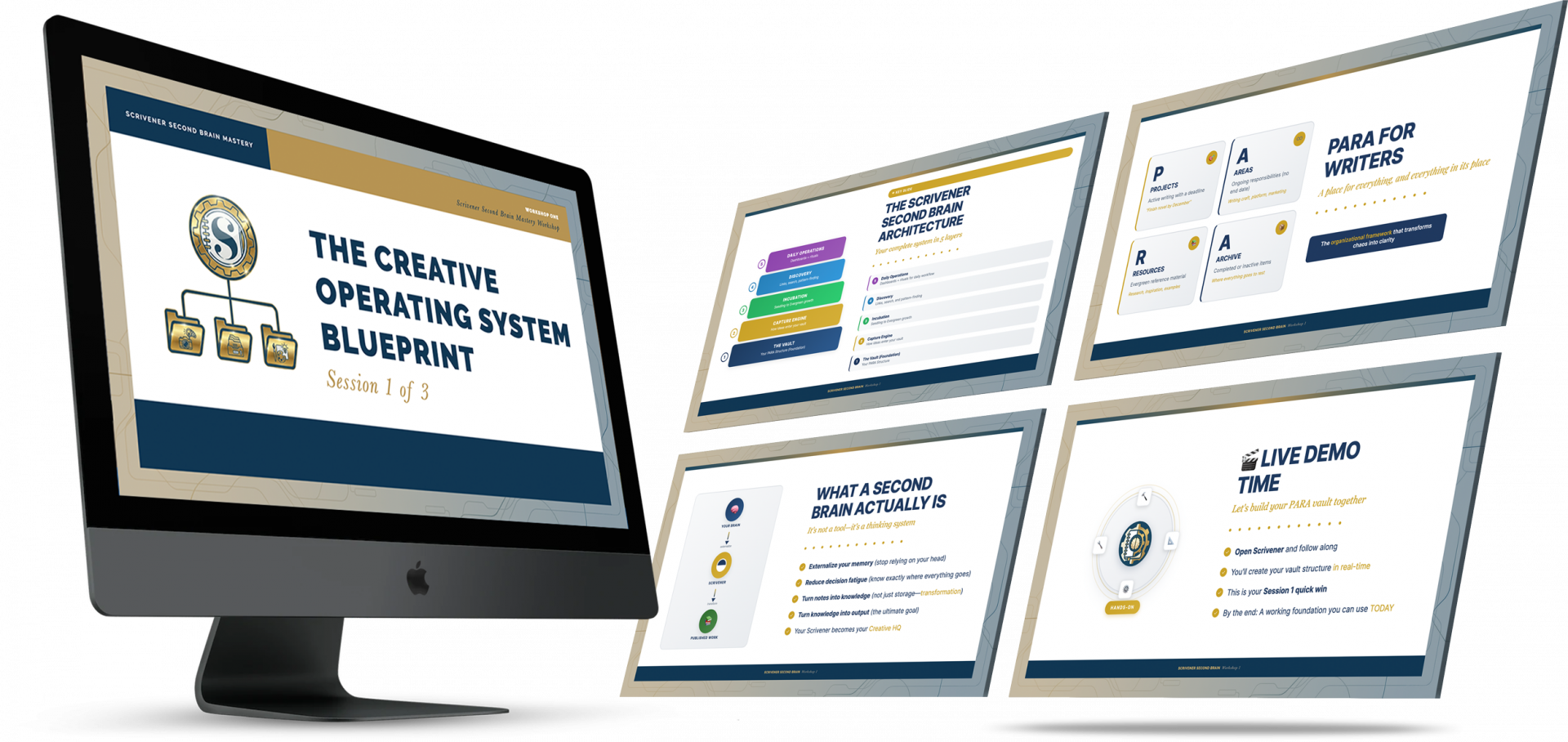
Module 1: Foundation β€” Vault Architecture Preview
This is where everything begins. You'll create the structure that holds your entire creative life using the PARA method (Projects, Areas, Resources, Archives) specifically adapted for writers.
What you'll master:
βœ“
The Complete Vault Architecture that gives every note a home. No more "where does this go?" paralysis. You'll know exactly where everything belongs, instantly.
βœ“
The "What Goes Where?" Decision Tree that ends folder confusion forever. When you're not sure where something should live, this simple flowchart gives you the answer in seconds.
βœ“
Wiki-Links that connect your ideas automatically. This is the feature that makes people say "Where has this been all my life?" Your notes stop being isolated files and start becoming a web of interconnected knowledge.
βœ“
Labels and Status Systems customized for your type of writing. Whether you're a novelist, non-fiction author, blogger, academic, or screenwriter, you'll have a system that fits how you work.
βœ“
Visual Organization with icons and emoji that make your Binder beautiful AND functional. Scan hundreds of notes and find what you need at a glance.
βœ“
Backup and Protection that ensures you never lose your vault to a computer crash, sync error, or accidental deletion. Sleep soundly knowing your life's work is safe.
πŸŽ₯
Includes 11 complete lessons plus the full workshop recording.
2
MODULE 2
$99 Value
Connection
Capture Ideas From Everywhere
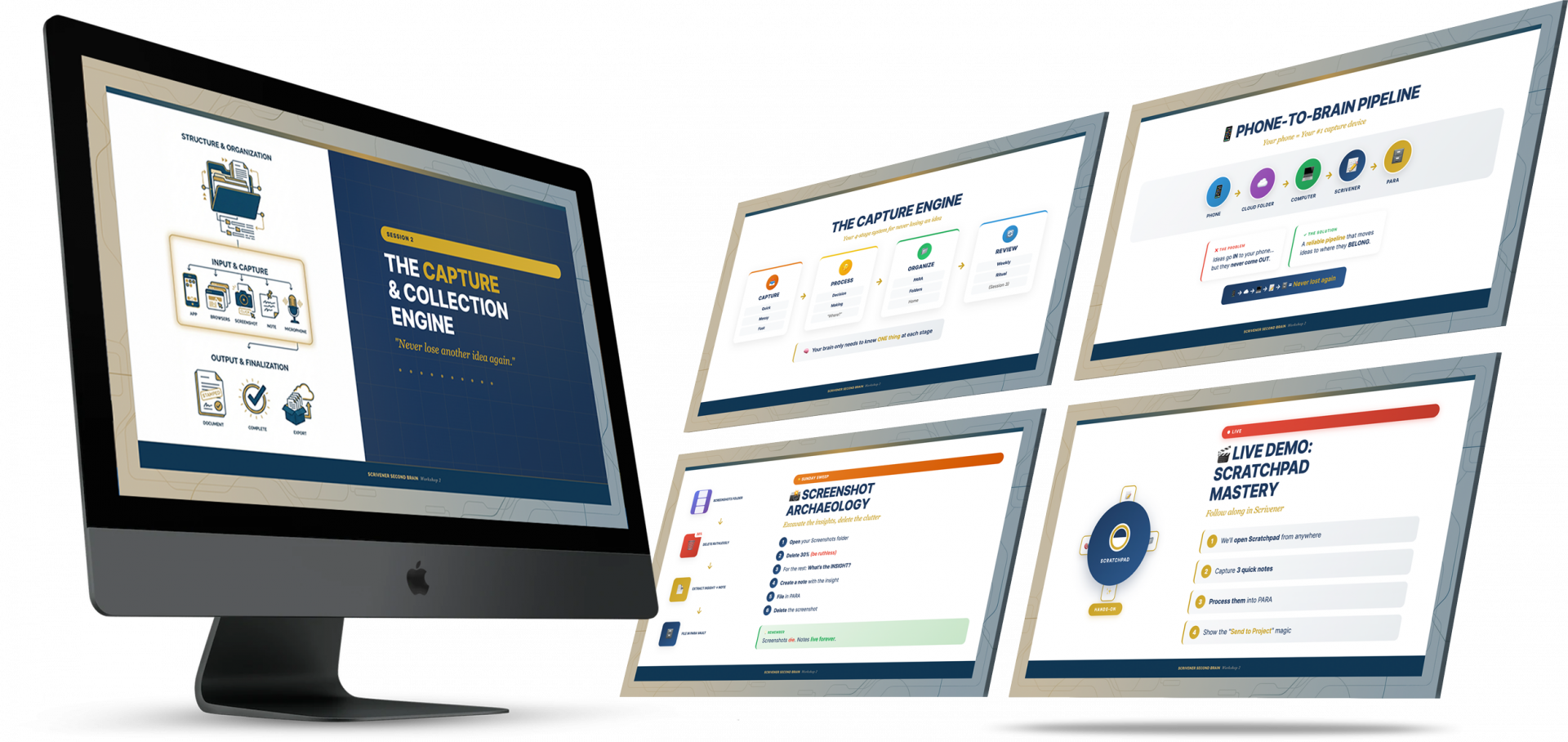
Module 2: Connection β€” Idea Capture Preview
Ideas don't arrive on schedule. They come in the shower, on walks, at 3 AM, while you're reading, while you're driving. This module gives you capture systems for every situation, so nothing slips through the cracks ever again.
What you'll master:
βœ“
The Scratchpad System that captures ideas even when Scrivener isn't open. One keyboard shortcut from any app, any time. Your thought is captured. You keep working. (This feature alone is worth the price of admission.)
βœ“
The Phone-to-Brain Pipeline for voice memos, photos, and on-the-go capture. That brilliant idea you have while walking the dog? It has a path straight into your vault.
βœ“
The Tab Harvest Protocol that turns 47 anxious browser tabs into organized, searchable knowledge. Those tabs aren't research. They're anxiety. This system processes them in minutes.
βœ“
Screenshot Processing that extracts insights instead of hoarding images. Screenshots die. Notes live forever. You'll learn to capture the meaning, not just the image.
βœ“
The Quick Reference Panel Technique that lets your research follow you everywhere. Even in distraction-free fullscreen mode. Like having a research assistant floating beside your writing.
βœ“
File Import Strategies for PDFs, documents, and research materials. Bring anything into your vault the right way, without bloating your project or breaking Scrivener.
πŸŽ₯
Includes 12 complete lessons plus the full workshop recording.
3
MODULE 3
$99 Value
Production
Turn Your Vault Into Creative Output
Module 3: Production β€” Creative Output Preview
A vault full of notes is just a vault full of notes. The magic is in using them. This module teaches you how to mine your knowledge for content, find anything in seconds, and maintain your system without it becoming a second job.
What you'll master:
βœ“
The Daily Workflow that keeps your system healthy in about 9 minutes per day. Split between morning, midday, and evening micro-rituals, it becomes as automatic as brushing your teeth.
βœ“
The Weekly Review that tends your knowledge garden in 15 minutes. Five phases that ensure nothing gets neglected and connections keep growing.
βœ“
Collections that organize themselves automatically. Like smart playlists for your documents. "Show me all my notes about this character." "Show me everything I've tagged as research for this book." One click.
βœ“
The "Find Anything in 2 Seconds" System that transforms you from someone who hunts for notes into someone who summons them instantly. Search isn't just a feature. It's a superpower.
βœ“
Mining Prompts that turn forgotten notes into fresh content. Your vault is a goldmine. These 25 prompts teach you how to dig.
βœ“
Cross-Project Connections that let your second brain vault feed your book projects seamlessly. Your research in one place, your manuscript in another, connected by invisible threads.
πŸŽ₯
Includes 12 complete lessons plus the full workshop recording.
β˜…β˜…β˜…β˜…β˜…
"The PARA system has been a complete game-changer for how I organize my writing life. I have 100% confidence in the system now. I know where everything is. I know where everything goes. That certainty is priceless."
TC
Tina Gaarn Christensen
PARA System Advocate
βœ“ Verified
β˜…β˜…β˜…β˜…β˜…
"I use my Scrivener Second Brain every day. It's where I capture ideas, plan projects, and store research. I honestly can't imagine working without it now."
CS
Cindy Stroud
Daily System User
βœ“ Verified
β˜…β˜…β˜…β˜…β˜…
"I've tried Notion, Obsidian, and a dozen other apps. Scrivener Second Brain is the only system that's actually stuck. I think it's because I was already using Scrivener. No new habit to build."
WP
Workshop Participant
Former App-Hopper
βœ“ Verified
But the Core Training Is
Just the Beginning...
I wanted to give you everything you need to succeed.
Not just learn. Succeed.
So I built resources I wish someone had given me
when I was figuring this out:
🎯
THE EXAMPLE VAULT
$97 Value
See Exactly What a Working System Looks Like
One of the biggest frustrations with learning any system is the gap between "I understand the concept" and "I don't know what it should actually look like."
The Example Vault closes that gap completely.
Example Vault Preview
What's inside:
βœ“
50+ Atomic Note Examples covering fiction, non-fiction, and life documentation. Not theoretical samples. Real examples you can study, learn from, and adapt.
βœ“
Ready-to-Use Templates for daily notes, project notes, and reference notes. Copy them directly into your vault. Customize them to fit your needs. Start with structure instead of a blank page.
4 Beautiful Note Style Guides so you can choose an aesthetic that fits you:
✦ The Clean Minimalist
Elegant simplicity for contemplative writers
✦ The Visual Scanner
Emoji markers and bold headers for quick reference
✦ The Academic Researcher
Citation-focused for non-fiction and research
✦ The Creative Writer
Atmospheric and evocative for fiction worldbuilding
Each style guide includes exact fonts, sizes, colors, and settings. No guesswork.
"What should my notes actually look like?" This section answers that question completely.
❓
THE Q&A VAULT
$97 Value
75+ Answers to Every Question You'll Have
This might be my favorite part of the entire course. Over years of teaching, I've collected every question students have asked. The common ones. The edge cases. The "I bet nobody else has this problem" problems (they do, and I've answered them).
Q&A Vault Preview
75+ detailed answers across 13 categories:
Wiki-Links & Document Linking
7
Templates & Daily Notes
6
Scratchpad Mastery
5
File Import & Management
6
Cloud Storage, Syncing & Backups
8
Vault Organization Philosophy
8
Views, Layouts & Interface
6
Collections & Search
4
Migration from Other Apps
5
Emails, Tasks & External Content
5
Security & Troubleshooting
4
Metadata & Advanced Features
4
Course-Specific & Comparisons
7
Including honest comparisons: Should you use Scrivener or Notion? Scrivener or Obsidian? What about Kortex? No hype. Just straightforward recommendations.
This is like having a personal coach available 24/7. When you get stuck at 10 PM on a Sunday, the answer is probably already waiting for you.
⚑
TIPS, TRICKS & TIME-SAVERS
$47 Value
The Shortcuts That Take Years to Discover
You could figure all of this out on your own. Eventually. After years of experimentation and frustration.
Or you could just read these guides.
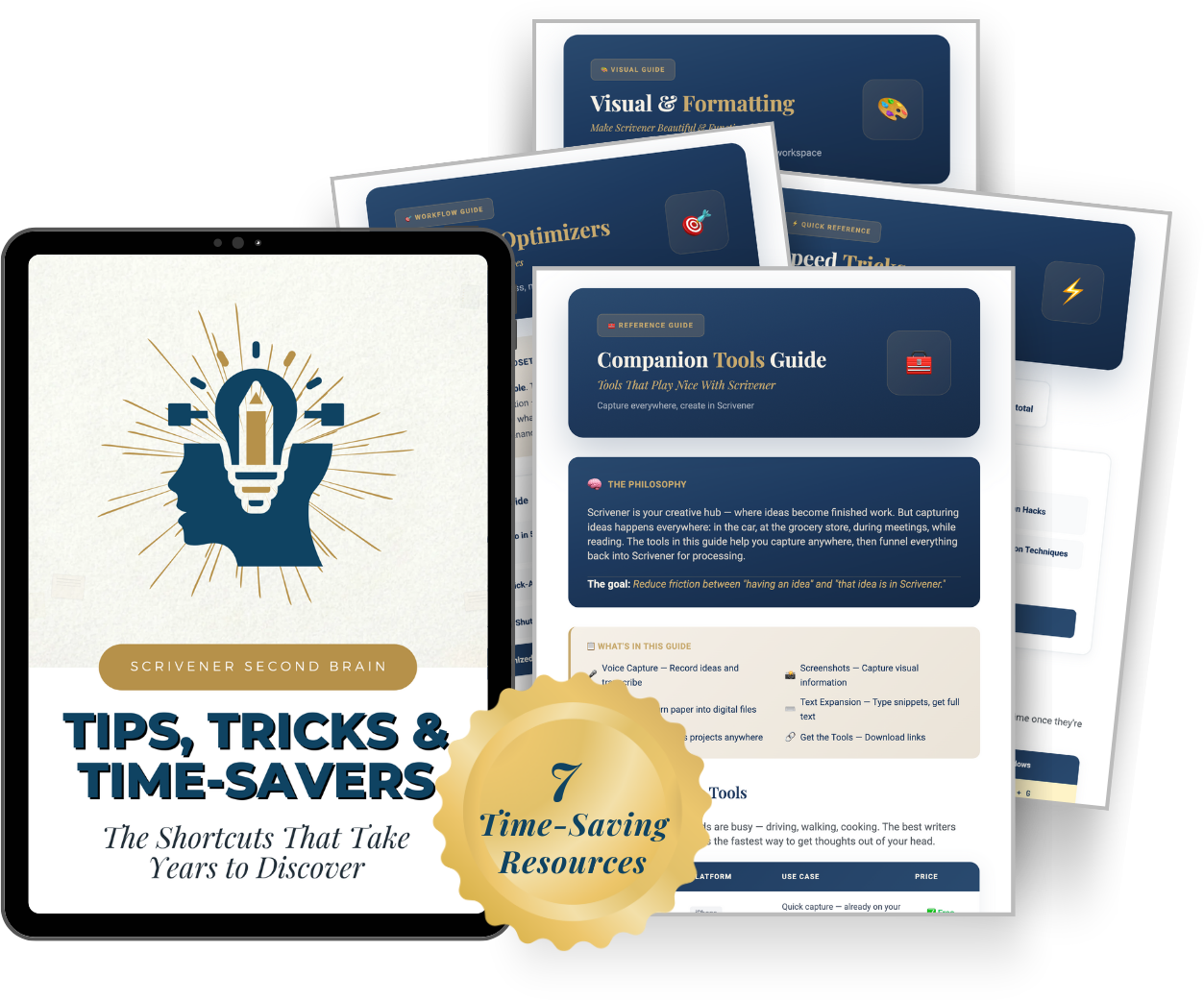
Tips, Tricks & Time-Savers Preview
7 comprehensive resources:
βœ“
Companion Tools Guide The complete ecosystem of apps that work alongside Scrivener (voice capture, screenshots, scanning, cloud sync)
βœ“
Speed Tricks Every keyboard shortcut worth knowing, for both Mac AND Windows
βœ“
Workflow Optimizers Systems that practically run themselves
βœ“
Visual & Formatting Make your Binder beautiful and functional
βœ“
Search & Find Secrets Go from flashlight to precision laser
βœ“
Maintenance & Cleanup Keep your vault healthy without effort
βœ“
"I Wish I Knew This Sooner" The hidden features that make people say "Where has this been all my life?"
βœ…
IMPLEMENTATION CHECKLISTS
$47 Value
Paint-by-Numbers Guides for Every Situation
I know my audience.
You're not interested in vague principles. You want someone to tell you exactly what to do, in what order, with clear steps you can check off as you go.
That's what these checklists provide.
Implementation Checklists Preview
8 step-by-step guides:
Your First 7 Days
10-20 min/day
Daily Capture Ritual
~9 min/day
Weekly Vault Maintenance
~15 min
Monthly Vault Health
~30-45 min
New Project Setup
~15-20 min
End of Project
~20-30 min
Research Session (Tab Harvest)
~25-40 min
Book & Article Digestion
~20-45 min
Every checklist includes exact steps, time estimates, and shortcuts for both Mac and Windows.
You will never wonder "what do I do next?"
πŸ“–
COMPLETE GLOSSARY
$17 Value
30+ Terms Explained in Plain English
Complete Glossary Preview
Knowledge management has its own vocabulary. Atomic notes. Bidirectional linking. Metadata. PARA.
If those terms make you nervous, the glossary will fix that.
Atomic Notes
Wiki-Links
PARA
Metadata
Collections
+ 25 more
Every technical term is explained with "Think of it as..." analogies that make complex concepts instantly accessible.
No jargon. No assumptions. Just clarity.
πŸŽ“
LIFETIME ACCESS + SUPPORT
You're Not Alone in This
When you enroll, you get:
♾️
Lifetime Access
Go at your own pace. Revisit anytime. No subscription fees. No expiration dates.
πŸ”„
All Future Updates
As I refine the system and add new resources, you get them automatically.
🀝
Support
The Q&A Vault answers most questions, but if you get truly stuck, help is available.
One payment. Lifetime access.
Every future update included.
Now let's talk about what all of this is worth...
YOUR COMPLETE PACKAGE
Let's Add Up What
You're Getting
Scrivener Second Brain Mastery - Complete Course Package
What's Included
Value
Module 1: Foundation (11 lessons)
$99
Module 2: Connection (12 lessons)
$99
Module 3: Production (12 lessons)
$99
The Example Vault (50+ templates)
$97
The Q&A Vault (75+ answers)
$97
Tips, Tricks & Time-Savers (7 guides)
$47
Implementation Checklists (8 guides)
$47
Complete Glossary
$17
Lifetime Access
βœ“
All Future Updates
βœ“
Total Value
$602+
The Normal Price Is $497
And honestly, that's fair.
Consider: A single session with a productivity coach costs $150-300. A year of Notion or Evernote premium costs $100+. And neither of those gives you a complete system designed specifically for writers.
But you're not paying $497 today.
Launch Special
$ 197
Save $300
Because you're here during our 2.0 launch,
you get access to everything for just $197.
That works out to less than $6 per lesson.
Less than the cost of two lattes per week for a month.
Less than you've probably spent on apps you've already abandoned.
One payment. Lifetime access. Every future update included.
πŸ›‘οΈ
My "Try Everything"
30-Day Guarantee
Here's what I want you to do:
Enroll today. Watch the training. Download every template. Build your vault. Test the capture systems. Try the daily workflow. Explore the Q&A Vault. Use the checklists.
Try everything.
If at any point in the next 30 days you don't feel like Scrivener Second Brain Mastery is worth every penny of your investment, email me.
I'll refund 100% of your purchase. No questions asked. No hoops to jump through. No guilt trips.
Just tell me it wasn't right for you, and your money comes back.
Why would I offer this?
Because I've watched what happens when writers implement this system. I've seen the relief when they finally have one trusted place for everything. I've read the emails from people who found notes they'd forgotten they had and used them to finish projects that had been stuck for months.
I'm not worried about refunds. I'm worried about you not giving yourself the chance to experience what's possible.
The risk is entirely on me.
The transformation is entirely yours.
β˜…β˜…β˜…β˜…β˜…
"This isn't just a writing system. It's my Business Second Brain now. Everything I need for running my creative business lives in one place."
JS
John W. Scanlan
Creative Business Owner
βœ“ Verified
β˜…β˜…β˜…β˜…β˜…
"I'm brand new to Scrivener. I was worried this course would assume I knew things I didn't. But the Second Brain system immediately made sense. The step-by-step approach was perfect for me."
R
Rebecca
New Scrivener User
βœ“ Verified
MEET YOUR INSTRUCTOR
About Joseph Michael
I've spent over a decade helping writers master Scrivener.
Through my training programs, I've worked with more than 100,000 writers. Bestselling authors. First-time novelists. Journalists. Academics. Bloggers. Screenwriters. People writing their memoirs. People building businesses around their expertise.
But here's what most people don't know about me:
I struggled with this exact problem for years.
Despite being "The Scrivener Coach," I had notes scattered across a dozen apps. I'd spend twenty minutes hunting for something I knew I'd written. I'd start new projects feeling that familiar dread of beginning from scratch.
The irony was painful. Here I was, teaching people how to use this powerful software, and I couldn't manage my own information.
The turning point came when I stopped looking for the next app and started asking a different question: What's already possible in the tool I use every day?
That question led to years of experimentation. Testing workflows. Studying knowledge management philosophies. Adapting techniques for creative minds. Getting feedback from thousands of students.
What you're getting in this course is everything I learned.
I'm not sharing this as a guru with all the answers. I'm sharing it as a fellow writer who finally figured out how to make this work, and I want to save you the years of frustration I went through.
I'm still in the trenches with you. Still writing. Still capturing ideas. Still using this system every single day.
And I genuinely believe it can change your creative life
the way it changed mine.
This Course Is Perfect
For You If…
βœ“
You're drowning in scattered notes and the thought of finding anything you've written fills you with dread.
βœ“
You've tried other systems and they didn't stick. Notion, Obsidian, Evernote, whatever. You set them up with the best intentions and abandoned them within months.
βœ“
You already use Scrivener for your writing (or you're willing to start). This entire system lives inside Scrivener 3 for Mac or Windows.
βœ“
You're not naturally "techy" and you appreciate step-by-step guidance that doesn't assume you know things you don't.
βœ“
You want a sustainable system that doesn't require hours of weekly maintenance or constant reorganization.
βœ“
You're tired of starting every project from scratch instead of building on everything you've already learned, researched, and thought about.
βœ“
You're ready to finally solve this problem instead of just coping with it.
This Course Is NOT
For You If…
βœ•
You're looking for a magic button. This is a real system that requires real implementation. About 10-20 minutes per day for your first week, then 15 minutes per week to maintain. If you're not willing to invest that time, this isn't for you.
βœ•
You want to keep using multiple apps. This system consolidates everything into Scrivener. If you love app-hopping, keep hopping.
βœ•
You're not willing to change how you work. The system works, but only if you use it. I can show you exactly what to do. I can't do it for you.
COMMON QUESTIONS
Frequently Asked Questions
"I've tried systems like this before and they never stick. Why would this be different?"
+
Because you're already in Scrivener. You don't have to build a new habit of opening a different app. You don't have to learn new software. You don't have to remember to use something that isn't already part of your routine. The system lives inside the tool you already use for writing. That single difference is why students tell me this system "finally stuck" when everything else failed.
"I'm not very tech-savvy. Will I be able to follow along?"
+
This course was designed specifically for people who don't consider themselves technical. Every lesson is step-by-step. Every shortcut shows both Mac AND Windows. The checklists tell you exactly what to click, in what order, and how long it should take. The glossary explains every technical term in plain English. If you can follow a recipe, you can follow this system.
"I have years of notes scattered across multiple apps. Isn't it too late to consolidate?"
+
It's not too late. The Q&A Vault includes complete migration guides for bringing notes from Obsidian, Notion, Evernote, and other apps. You don't have to migrate everything at once. Many students start fresh with the new system and gradually bring over old notes as they need them. The relief of finally having one trusted place is worth whatever consolidation effort it takes.
"How much time does this actually take?"
+
Setting up your vault takes about 10-20 minutes per day for your first week (the "First 7 Days" checklist guides you through it). After that, maintenance requires about 15 minutes per week. The daily capture ritual is about 9 minutes total, split between morning, midday, and evening. These are real numbers from real users, not marketing fluff.
"Will this slow down my actual writing?"
+
The opposite. When you have instant access to all your research, quotes, and ideas, writing becomes assembly instead of creation from scratch. You stop losing twenty minutes hunting for that note you know you wrote. You stop starting over on research you've already done. Most writers report their writing speed increases because they're never hunting for information or duplicating effort.
"What about Notion? Or Obsidian? Aren't those better for knowledge management?"
+
They're powerful tools. No question. But they require you to learn entirely new software, build entirely new habits, and maintain entirely separate systems from your writing tool. The Q&A Vault includes honest comparisons with specific recommendations for who might benefit from each approach. For most writers, especially those who aren't naturally tech-savvy, the "one tool for everything" approach of Scrivener Second Brain is more sustainable.
"What version of Scrivener do I need?"
+
Scrivener 3 for Mac or Windows. The standard version. No special upgrades required. If you're still on Scrivener 2, it's worth upgrading for these features (and many others).
"What if I get stuck?"
+
The Q&A Vault has 75+ answers to the most common questions. Most issues have solutions waiting for you already. For anything else, the Support page explains how to get help.
"What if I'm not satisfied?"
+
You're protected by the 30-day guarantee. Try everything. If it's not for you, email me for a full refund. No questions, no hassle, no guilt.
The Ideas You Don't Capture
Today Are Gone Tomorrow
Here's what I know about creative people:
You have more ideas than you could ever use. More insights than you could ever remember. More potential projects, articles, books, and creative works sitting in your mind right now than most people will produce in a lifetime.
You've never had an idea shortage.
You've had a capture-and-retrieval problem.
1
Every day the problem continues, ideas slip away. The brilliant connection you almost made while reading. The insight that surfaced in the shower and vanished by noon.
2
Connections go unmade. The research from last year that would have transformed what you're writing now sits buried in an app you haven't opened in months.
3
Projects start from scratch when they could have built on years of accumulated thinking. You've done the work. You just can't find it.
I can't give you back the ideas you've already lost.
But I can help you make sure you never lose another one.
✦
Picture This
Six months from now, you sit down to write. You open Scrivener. Not just to your manuscript, but to your vault. Your second brain.
Everything you need is there. Research from that book you read last year. Character notes you wrote months ago that are suddenly relevant. A quote you captured while walking the dog that perfectly expresses what your protagonist is feeling.
You don't hunt for anything. You don't start from scratch. You don't feel that familiar anxiety about lost ideas.
You just… write.
And when you're done, you capture your new insights with a few keystrokes, knowing they'll be there waiting when you need them.
This is what's possible.
Not someday. Not after you find the perfect app.
Not when you finally become "the kind of person who's organized."
Now. With Scrivener. With this system.
Scrivener Second Brain Mastery
Everything you need to build your creative operating system.
33+ Lessons 50+ Templates 75+ Q&A Answers 8 Checklists Lifetime Access 30-Day Guarantee
$497
$ 197
Save $300
One Payment Β· Lifetime Access
πŸ›‘οΈ Protected by the 30-day "Try Everything" guarantee
P.S. Remember: you're not just buying a course.
You're buying back every hour you've spent hunting for notes you knew you had.
You're buying the confidence of knowing every idea is captured and findable.
You're buying a system that compounds over time, making every project easier than the last.
And you're buying the peace of mind that comes from finally having this handled.
The question isn't whether you can afford $197.
The question is whether you can afford to keep losing ideas.
P.P.S. The launch price of $197 won't last forever. When the launch period ends, the price returns to $497. If you're thinking about this, now is the time.